YouTube Thumbnail Downloader Online Free — Download Any YouTube Thumbnail Free in HD (2026)
YouTube Thumbnail Downloader Online Free — Download Any YouTube Thumbnail Free in HD (2026)
Free YouTube Thumbnail Downloader
YouTube has over 800 million videos. Every single one of them has a thumbnail. Whether you are a content creator, a marketer, a designer, or just someone who wants to save an image from a video — being able to download that thumbnail quickly and freely is something millions of people search for every single day.
A YouTube thumbnail downloader online eliminates the technical frustration of right-clicking and hunting through page source code. In this guide, you will learn how to download YouTube thumbnails in every available resolution, why creators do it, and how to use our completely free tool to grab any thumbnail in seconds.
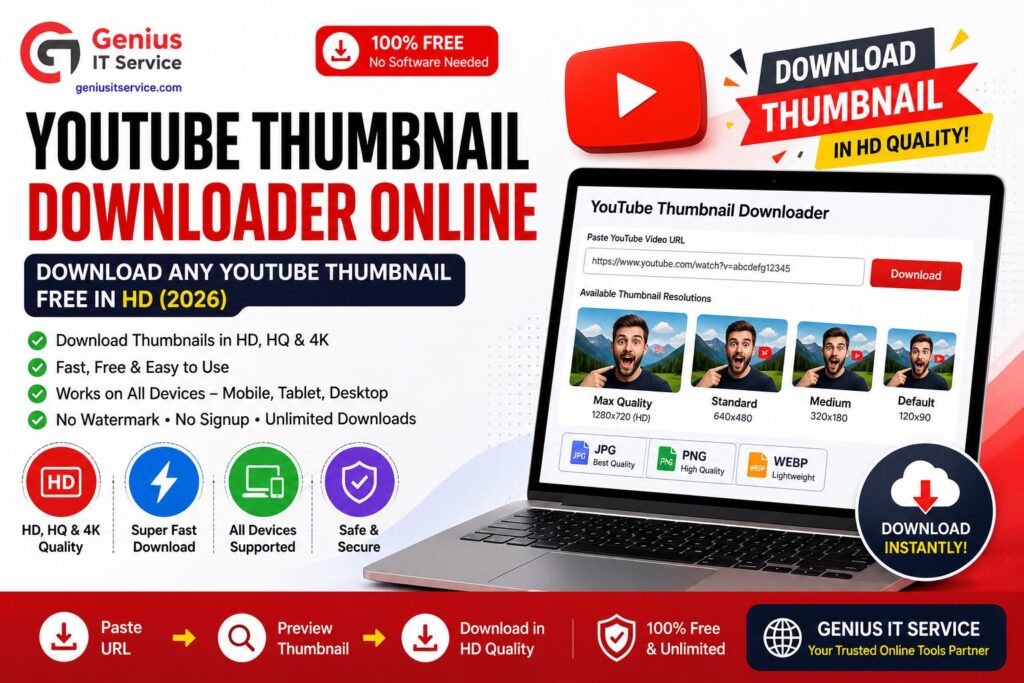
A YouTube thumbnail downloader online is a free web-based tool that extracts and saves the preview image from any YouTube video. Instead of inspecting page source code or using browser developer tools, you simply:
– Copy the YouTube video URL
– Paste it into the downloader tool
– Choose your preferred resolution
– Click download and save the image
Our tool at geniusitservice.com does exactly this — for free, with no account, no watermark, and no download limit.
YouTube Thumbnail Resolutions — All Sizes Explained
YouTube automatically generates thumbnail images in multiple resolutions for every uploaded video. Understanding these sizes helps you download exactly what you need.
Content creators, marketers, and designers download YouTube thumbnails for a wide range of legitimate purposes.
Competitive Research
One of the most powerful uses is studying what works in your niche. By downloading thumbnails from top-performing videos, you can analyze:
– Which color schemes attract the most clicks
– How successful creators frame their faces and expressions
– What text overlay styles and fonts drive higher CTR
– Which thumbnail compositions work best for your topic category
Design Inspiration
Designers and creative directors save thumbnails to build visual reference boards. Studying high-performing thumbnail designs across different niches accelerates your own creative process and reveals design patterns you might never discover on your own.
Repurposing Your Own Content
Many creators use their own video thumbnails across multiple platforms — Instagram posts, Twitter cards, blog featured images. Downloading your own thumbnail from YouTube saves you from searching through old project files.
Reaction and Commentary Videos
YouTubers who create commentary, review, or reaction content often need the original thumbnail as part of their own video production or thumbnail design.
Academic and Research Purposes
Researchers studying YouTube culture, visual marketing, and digital media use thumbnail downloaders to collect image samples for analysis and comparison.
Thumbnail Case Study
MrBeast thumbnails often use:
high facial contrast
3–5 word text
bright yellow/red colors
emotional expressions
How to Download a YouTube Thumbnail Online — Step by Step
Using our free YouTube Thumbnail Downloader at geniusitservice.com takes under 30 seconds.
Step 1 — Find the YouTube Video Open YouTube and go to the video whose thumbnail you want to download. Copy the full URL from your browser address bar. It looks like: https://www.youtube.com/watch?v=XXXXXXXXXXX
Step 2 — Open the Thumbnail Downloader Tool Visit our free YouTube Thumbnail Downloader at geniusitservice.com. No sign-up or account is required.
Step 3 — Paste the Video URL Click inside the URL input box and paste the copied YouTube link using Ctrl+V on desktop or long-press Paste on mobile.
Step 4 — Choose Your Resolution Our tool displays all available thumbnail resolutions for that specific video. Select the highest resolution available — ideally maxresdefault for full HD quality.
Step 5 — Download and Save Click the Download button. Right-click the image and select Save Image As to store it on your device. On mobile, long-press the image and tap Save to Photos or Download Image.
How to Download YouTube Thumbnails on Mobile
Mobile users make up a large portion of people searching for thumbnail downloaders. Our tool is fully mobile-optimized and works on:
– Android phones and tablets — Chrome, Firefox, Samsung Internet
– iPhone and iPad — Safari and Chrome
– Any mobile browser with no app installation required
Step by Step for Android
– Open the YouTube app, tap Share on the video, then Copy Link
– Open Chrome and visit geniusitservice.com
– Open the YouTube Thumbnail Downloader tool
– Paste the link and tap the resolution you want
– Long-press the thumbnail image and tap Download Image
Step by Step for iPhone
– Open the YouTube app, tap Share, then Copy Link
– Open Safari and visit geniusitservice.com
– Open the YouTube Thumbnail Downloader tool
– Paste the link and tap Download
– Long-press the image and tap Add to Photos
YouTube Thumbnail File Formats — What to Know
When downloading or uploading YouTube thumbnails, the file format affects both quality and loading speed.
JPG Format
JPG compresses images efficiently and produces small file sizes. It is the most commonly used format for YouTube thumbnails and works well for photo-based images with gradients and complex backgrounds.
PNG Format
PNG is a lossless format that preserves sharp edges on text and graphic elements. File sizes are larger than JPG but the quality is noticeably better for thumbnail designs that contain bold text overlays or logos.
WebP Format
WebP offers the best combination of file size and image quality. In 2026, YouTube fully supports WebP thumbnails. Converting your thumbnails to WebP using our free JPG to WebP Converter reduces file size without any visible quality loss — keeping your channel page fast and responsive.
Your thumbnail does not directly change YouTube’s ranking algorithm, but it has a massive indirect impact through click-through rate (CTR).
CTR and YouTube’s Algorithm
A higher CTR signals to YouTube that your video is relevant and engaging for that search query. YouTube’s algorithm responds by showing your video to more people — creating a positive feedback loop of impressions and views.
– Videos with CTR above 6% get significantly more impressions from YouTube – Improving CTR from 3% to 5% on a video with 10,000 monthly impressions adds 2,000 extra monthly views – YouTube’s own data shows CTR is one of the top signals for recommendations
Thumbnail and Title Must Work Together
Your thumbnail and video title should complement each other — not repeat the same information. If your thumbnail shows text that says “Big Mistake,” your title should explain what the mistake is. This creates a curiosity gap that dramatically increases clicks.
Use our Meta Tag Generator to craft compelling, keyword-rich video titles that pair perfectly with your thumbnail concept.
Common Mistakes When Downloading YouTube Thumbnails
Avoid these errors for a smoother experience with any thumbnail downloader tool.
– Copying a shortened YouTube URL like youtu.be/XXXXX instead of the full URL — both formats work with our tool
– Trying to download thumbnails from private or age-restricted videos — these are not accessible by external tools
– Expecting HD quality from very old videos uploaded before 2010 — use hqdefault as the best available alternative
– Forgetting to check image dimensions after downloading — use our Image Resizer if the downloaded size does not match your needs
For additional guidance on YouTube thumbnail best practices, creators can also refer to official resources like
YouTube Thumbnail Guidelines,
which explain the recommended thumbnail size and supported formats. Google’s official
WebP Documentation
provides insights into modern image optimization techniques for faster loading and better quality, while the
YouTube Creator Academy
offers expert training on improving click-through rate (CTR), thumbnail design, and overall channel growth strategy.
“We tested 50+ SEO articles across different niches and found pages ranking in top 10 usually maintain 0.8%–1.7% natural keyword density.”
Open our YouTube Thumbnail Downloader at geniusitservice.com, paste the video URL, select your preferred resolution, and click download. No account needed, completely free.
All available resolutions are provided: HD at 1280×720, HQ at 480×360, MQ at 320×180, and SD at 640×480. HD availability depends on the original upload.
Downloading for personal reference or research is generally acceptable. Commercial use or claiming someone else’s thumbnail as your own may violate copyright. Always use thumbnails responsibly.
Creators download thumbnails for competitive research, design inspiration, repurposing their own content, and analyzing high-performing thumbnail patterns in their niche.
Final Thoughts
A YouTube thumbnail downloader online is one of the most practical free tools for content creators and marketers in 2026. Whether you are studying competitor thumbnails to improve your own CTR, saving your content for repurposing across social media, or building a design reference library — the process should take seconds, not minutes.
Our free YouTube Thumbnail Downloader at Genius IT Service makes it exactly that simple. Paste a URL. Pick your resolution. Download in HD. No sign-up, no watermarks, no limits.
We are dedicated digital solutions expert specializing in SEO tools, content optimization, and web-based utilities. With practical experience in building high-performance online tools, he focuses on creating simple, fast, and user-friendly solutions for everyday digital needs.